
Quick Answer
What is FBR IRIS 2.0? FBR IRIS 2.0 is the upgraded version of Pakistan's Integrated Revenue Information System — the Federal Board of Revenue's official online tax portal at iris.fbr.gov.pk. It lets taxpayers register for an NTN, file income tax returns and wealth statements, generate payment slips, check filer status, and reply to FBR notices from a single dashboard.
Introduction
If you have ever opened Pakistan's tax portal and immediately wondered which of the twelve menu items you were supposed to click, you are in very good company. At Baco Consultants, our tax team walks salaried employees, freelancers, sole proprietors and private limited companies through this exact screen every single day of filing season — and the pattern almost never changes. People do not fail at tax filing because the law is impossible; they fail because the portal's sequence is unforgiving. This guide fixes that. It covers the full IRIS 2.0 journey, from a clean FBR IRIS registration to filing your income tax return in Pakistan, and if you are already locked out, our guide on IRIS login problems and solutions and the walkthrough on recovering a forgotten IRIS password will get you back in before you read any further.
Here is the thing most guides skip: IRIS 2.0 is not just a facelift. It changed how sessions behave, where menus live, and how validations fire — which means habits built on the old system are now a source of errors. With the 30 September 2026 deadline roughly five weeks away as this guide is updated, understanding those changes is worth real money.
Let's start at the beginning.
Key Takeaways
- IRIS 2.0 is FBR's redesigned tax portal, developed and maintained by PRAL for the Federal Board of Revenue.
- Individuals log in with their 13-digit CNIC (no dashes); companies and AOPs use their 7-digit NTN.
- The Tax Year 2026 return deadline is 30 September 2026 for individuals and AOPs, and 31 December 2026 for companies with a 30 June year-end.
- The Finance Act, 2026 raised the Section 182A ATL restoration surcharge from Rs. 1,000 to Rs. 25,000 for individuals, Rs. 10,000 to Rs. 50,000 for AOPs, and Rs. 20,000 to Rs. 100,000 for companies with effect from 1 July 2026.
- FBR has added an Account Recovery option so taxpayers can reset passwords using a registered mobile number without visiting a Regional Tax Office.
- Most IRIS failures are not system failures — they are profile, browser, or sequencing mistakes that are avoidable.
What Is FBR IRIS 2.0?
Direct answer: FBR IRIS 2.0 is the upgraded version of the Integrated Revenue Information System, Pakistan's official online tax portal run by the Federal Board of Revenue and built by Pakistan Revenue Automation Limited (PRAL). It handles taxpayer registration, income tax and sales tax return filing, wealth statements, tax payments, notices and verifications through one unified dashboard at iris.fbr.gov.pk.
IRIS has been Pakistan's digital tax office for over a decade. The original build worked, but it aged badly — heavy screens, confusing navigation, no mobile usability, and a password recovery process that often ended with a physical visit to a Regional Tax Office. IRIS 2.0 responds to those complaints with a redesigned interface, a single unified dashboard covering returns, registration and payments, faster processing, mobile responsiveness, and simplified account recovery.
The important structural point: IRIS 2.0 consolidates and supersedes FBR's legacy systems and now acts as the single portal through which taxpayers e-file their returns. There is no parallel offline route for most filers. If you have income to declare in Pakistan, this portal is the path.
Who owns what:
| Component | Responsible Entity |
|---|---|
| Tax policy and law | Federal Board of Revenue (FBR), under the Ministry of Finance |
| Portal development & maintenance | Pakistan Revenue Automation Limited (PRAL) |
| Assessment, audit, notices | Inland Revenue / Commissioner Inland Revenue |
| Identity verification | NADRA (CNIC linkage) |
| Governing law | Income Tax Ordinance, 2001 |
Understanding this split matters practically. A slow portal is a PRAL problem. A disputed assessment is a Commissioner problem — and one you handle through the tax appeal process in Pakistan, not through a support ticket.
Who Must Use IRIS 2.0 (Eligibility & Requirements)
Direct answer: Anyone required to file an income tax return in Pakistan must use IRIS 2.0. This includes salaried individuals above the taxable threshold, business owners, sole proprietors, AOPs, companies, freelancers, property owners, and overseas Pakistanis with Pakistan-source income or specified assets.
You generally need to register and file if, during the tax year, you:
- earned taxable income above the exemption threshold under the applicable income tax slabs for salaried individuals
- owned immovable property of the prescribed size or value
- owned a motor vehicle above the prescribed engine capacity
- held a commercial or industrial electricity connection
- are registered with a chamber of commerce, trade body or professional body
- had tax deducted at source and want to claim it back through a tax refund
What you need before you start:
- Valid CNIC (or NICOP/passport for non-residents)
- A mobile number registered in your own name
- A personal email address you actually control
- Bank account details (IBAN)
- Employer certificate or business income records
- Withholding tax deduction certificates — see how to get a tax withholding certificate online
- Property, vehicle and investment details for the wealth statement
A quick expert note: the mobile number and email must be yours and unused elsewhere on IRIS. Registering with a consultant's number is one of the most common self-inflicted wounds we see — it works fine until you change advisors, and then you are locked out of your own tax identity. The complete list is in our guide to the documents required for NTN registration.
FBR IRIS 2.0 Login
Direct answer: To log in to FBR IRIS 2.0, go to the official portal at iris.fbr.gov.pk, enter your CNIC without dashes (individuals) or your 7-digit NTN (companies and AOPs) as the username, enter your password, complete the CAPTCHA, and confirm the OTP if prompted. Your dashboard loads once verification succeeds.
Step-by-step login
- Open the official portal — iris.fbr.gov.pk. Type the address yourself. Never follow IRIS login links shared through WhatsApp, Facebook or SMS, as these are commonly used for phishing pages that imitate the real portal.
- Enter your username. Individuals use their CNIC without dashes; companies and AOPs use their 7-digit NTN.
- Enter your password. Type it manually rather than trusting browser autofill, which frequently carries a stale password.
- Complete the CAPTCHA if displayed.
- Enter the OTP sent to your registered mobile or email where verification is triggered.
- Wait for the dashboard. Near deadlines and on slow connections, this can take up to a minute — do not refresh repeatedly, as this can compound session errors.
Login credentials at a glance
| Taxpayer Type | Username | Password | Second Factor |
|---|---|---|---|
| Salaried / individual | CNIC (13 digits, no dashes) | Self-set password | OTP where triggered |
| Sole proprietor | CNIC (13 digits, no dashes) | Self-set password | OTP where triggered |
| AOP / Partnership | 7-digit NTN | Self-set password | OTP + authorised person PIN |
| Private limited company | 7-digit NTN | Self-set password | OTP + authorised person PIN |
Forgot password or locked out?
IRIS uses a multi-stage recovery: you select Forgot Password, identify yourself with CNIC or Registration Number, and the system sends a one-time password to your registered contact for verification. Separately, FBR has introduced an Account Recovery option that lets taxpayers reset access using a registered cell number even where that number was not previously linked to the account — a genuine relief for people who moved cities or changed SIMs and previously had to visit an RTO or pay recovery agents.
If both routes stall, our detailed IRIS password recovery guide covers the escalation path. And to be clear about something taxpayers are regularly overcharged for: FBR does not charge any fee for password or account recovery.
How to Register on IRIS 2.0 (E-Enrollment & NTN)
Direct answer: New taxpayers register through the "Registration for Unregistered Person" option on the IRIS 2.0 home screen. You submit your CNIC, contact details and income source, verify via OTP on your registered mobile and email, then set a password and PIN. Your NTN is issued automatically — for individuals, it is your CNIC number.
The registration sequence
- Click Registration for Unregistered Person on the IRIS landing page.
- Enter identity details. First-time registrants now provide CNIC, CNIC expiry date, date of birth and full name — fields FBR tightened after optional entries caused verification failures.
- Enter contact details — mobile number and email, both in your own name and not used on any other IRIS account.
- Verify both using the separate codes sent to each.
- Set your password and 4-digit PIN. Store both somewhere durable. The PIN authorises submissions; forgetting it stops you at the final step.
- Log in and complete Form 181 — your registration profile, covering bank accounts, business or employment details, property and utility connections.
That Form 181 profile is not paperwork you can skip. It is the foundation the return draws from, and an incomplete profile blocks submission later. Full detail is in our NTN registration step-by-step FBR guide, and if you would rather hand it over, we handle NTN registration for salaried individuals, businesses and companies directly.
Freelancers, take note: your registration must reflect service income and, where applicable, export of services. Getting this wrong at registration causes regime mismatches later. See our dedicated guide on NTN registration for freelancers.
How to Use IRIS 2.0
Direct answer: IRIS 2.0 works through a left-side menu grouped by function — Registration, Declaration, Payments, Notices/Inbox, and Verification. You select a function, choose the tax year and form type, complete the tabs in order, save each tab, then submit. Nothing is filed until you press Submit and confirm with your PIN.
The main modules
Registration — update your profile, add or remove business branches, change bank accounts, modify your registered address, or add a sales tax registration.
Declaration — where returns live. Income tax returns, wealth statements, sales tax returns, and withholding statements are all initiated here by tax year.
Payments — generate a PSID (Payment Slip ID), which you then pay through your bank or a mobile banking app to receive a CPR.
Inbox / Notices — every communication from the Commissioner arrives here. It is legally served whether or not you open it. This single fact causes more avoidable penalties than any other feature of the portal.
Verification — check ATL status, verify CPRs, confirm exemption certificates and validate taxpayer particulars.
The working sequence that avoids most errors
Profile first → Payment second → Return third → Wealth statement fourth → Submit last.
Taxpayers who attempt this in a different order — for instance, drafting the return before paying admitted tax — end up with validation errors that look like system faults but are not. Pay first, capture the CPR, then attach it inside the return.
Save constantly. IRIS 2.0 sessions expire faster during high-traffic periods and will log you out mid-form; multiple browser tabs on the same session can also trigger conflicting session errors. One tab, frequent saves. That is the discipline.
New IRIS 2.0 Features
Direct answer: IRIS 2.0's headline improvements are a unified single-sign dashboard, a rebuilt interface with clearer navigation, mobile responsiveness, faster processing, integrated e-payment, stronger login security including OTP verification, and simplified password and account recovery.
Feature breakdown
1. Unified dashboard. Income tax returns, sales tax registration, NTN management, wealth statements and e-payments are now reachable from one dashboard instead of scattered legacy screens.
2. Redesigned interface and navigation. A refreshed dashboard, streamlined navigation, web-based verification services, e-payments and account recovery replace the old cluttered layout.
3. Mobile responsiveness. The portal now renders usably on a phone. Worth saying plainly, though: use a desktop for actual return submission. Wealth reconciliation on a 6-inch screen is a mistake generator.
4. Improved login security. IRIS 2.0 supports enhanced login security including multi-factor authentication for eligible users.
5. Simplified account and password recovery. Covered above — the single most requested fix from taxpayers, finally delivered.
6. Integrated e-payment. One of the major achievements under IRIS 2.0 was integration of the ePayment 2.0 system, reducing the switching between filing and payment that plagued the old workflow.
7. Stronger backend security. Taxpayer data protection was improved through PRAL's upgraded infrastructure.
Our companion article, FBR IRIS 2.0 new features explained for taxpayers, goes deeper on each of these.
How to File Tax Return on IRIS 2.0
Direct answer: Log in to IRIS 2.0, open Declaration → Income Tax Return → select Tax Year 2026, complete the income tabs, enter tax deductions and credits, reconcile the wealth statement, pay any admitted tax to generate a CPR, attach it, and submit using your PIN. Save the acknowledgement.
Step 1 — Select the right form
Choosing the wrong return form is the most expensive early mistake. Salaried individuals use the salary return. Business individuals use the normal return. Non-residents and those under the final regime have separate treatment — see how to file a final tax regime return and who can opt for the final tax regime.
Step 2 — Declare all income
Enter every income head that applies: salary, business, property, capital gains, and other sources. Foreign income for residents must be declared even where it has already been taxed abroad. Overseas Pakistanis should read our guide to income tax returns for overseas Pakistanis before assuming they are outside the net.
Step 3 — Claim deductions, credits and adjustable tax
Pull every withholding certificate you have — bank profit, salary deduction, mobile and utility withholding, vehicle and property transactions. The rates that generated those deductions are set out in the FBR withholding tax rate chart for 2026-27. Unclaimed adjustable tax is money you are gifting to the exchequer.
Step 4 — Reconcile the wealth statement
For individuals, the wealth statement must balance: opening wealth plus income minus expenses plus any inflows equals closing wealth. If it does not reconcile, IRIS blocks submission. The most common culprit is an unrecorded gift, an informal loan, or a family asset held in your name.
Step 5 — Pay tax and attach the CPR
Generate the PSID, pay through your bank, and attach the CPR. Full detail in our guide on how to pay income tax online in Pakistan.
Step 6 — Submit and save proof
Submit with your PIN. Download the acknowledgement and the filed return PDF immediately. Do not rely on the portal retrieving it for you later during peak load.
Filing zero income? You still file. Our guide on how to file a nil tax return explains why a nil return protects filer status.
Made an error after submission? You have options — but the wrong one costs time. Read revised return vs rectification application and how to correct mistakes in an FBR income tax return.
If you would rather not do any of this yourself, we file for salaried individuals, sole proprietors and partnerships and companies.
IRIS 2.0 Tax Payment: PSID, CPR & e-Payment
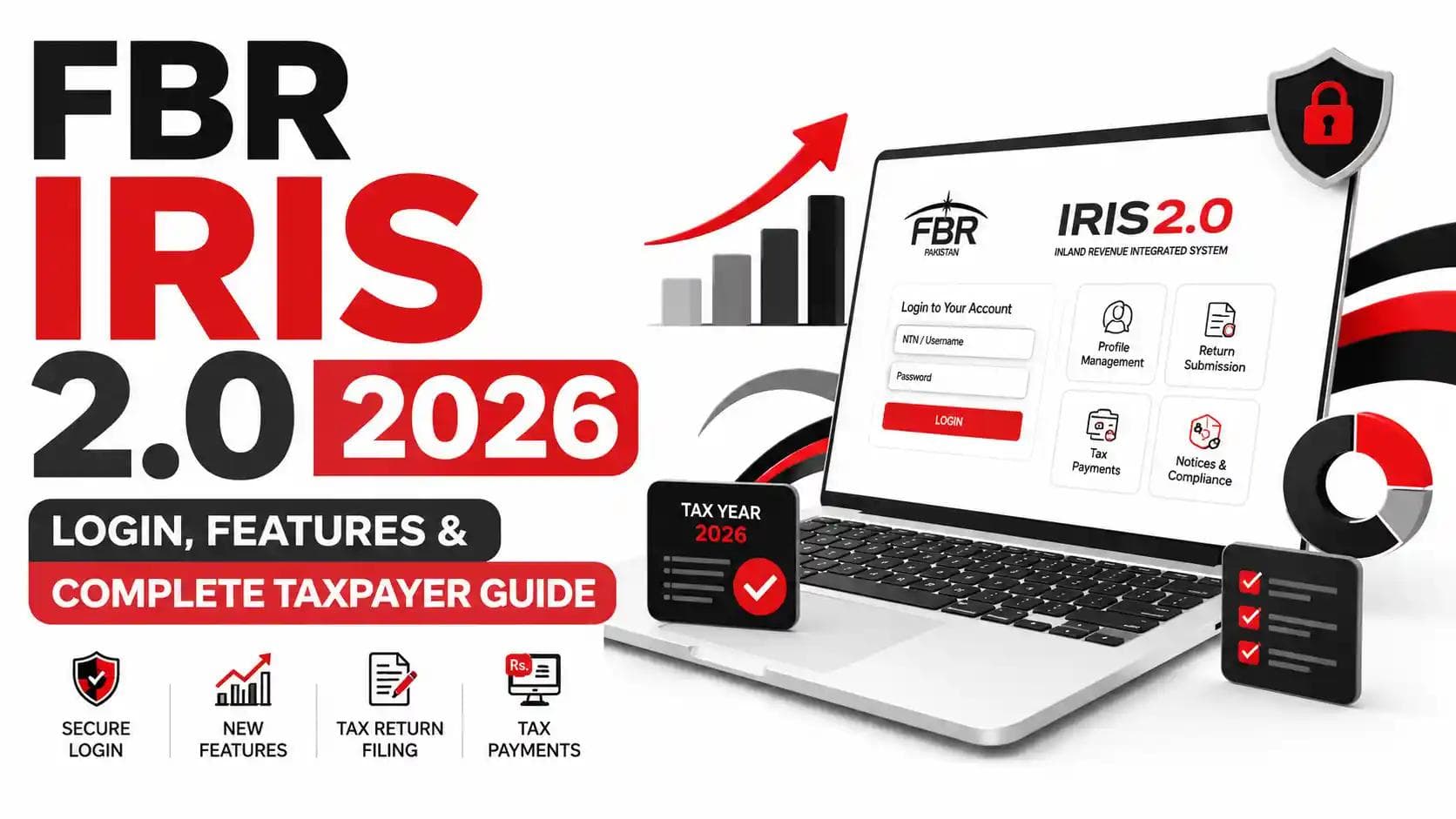
Direct answer: On IRIS 2.0 you create a PSID (Payment Slip ID) under the e-Payments module, selecting the correct tax year, payment section and amount. You then pay via internet banking, mobile banking, ATM or over the counter, and the system issues a CPR (Computerized Payment Receipt) as proof.
PSID vs CPR — the distinction that trips people up:
| PSID | CPR | |
|---|---|---|
| What it is | A payment instruction | Proof of payment received |
| When created | Before payment | After successful payment |
| Legal value | None on its own | Evidence of tax paid |
| Used in return | No | Yes — attached to the return |
A generated PSID is not a paid tax. We see returns rejected every season because the taxpayer attached a PSID believing it settled the liability. Always confirm the CPR appears in your IRIS payment history before submitting.
Choosing the wrong payment section is the second common error — for instance, paying under the wrong section head, or paying the ATL surcharge under an income tax head. The payment then sits in the system unattributed and requires a correction request to move.
Notices, Certificates & Verification on IRIS 2.0
Direct answer: All FBR communications are served through your IRIS Inbox. Notices under sections such as 114 (return not filed), 122 (amendment of assessment) and 176 (call for information) appear there with a response deadline, and you reply through the same module by attaching documents and a written explanation.
Three rules that matter:
- Electronic service is legal service. The clock runs from the date the notice hits your Inbox, not the day you notice it.
- Never ignore, never guess. A weak reply is easier to fix than no reply at all, but a wrong admission is hard to walk back.
- Escalation exists. If an assessment is wrong, there is a structured route — see how to appeal a tax assessment.
Our practical resources: common reasons for FBR notices, the FBR notice response guide, and what to do if you receive an FBR tax notice.
The Verification module also handles ATL status checks, CPR verification and exemption certificate validation — useful when a bank or property registrar asks you to prove filer status on the spot.
IRIS 2.0 vs Old IRIS
Direct answer: The old IRIS was a functional but dated system with scattered menus, slow screens, no mobile usability, and painful password recovery that often required an RTO visit. IRIS 2.0 delivers a unified dashboard, cleaner navigation, mobile responsiveness, integrated e-payments, OTP-based login security, and self-service account recovery.
| Aspect | Old IRIS | IRIS 2.0 |
|---|---|---|
| Interface | Dense, legacy layout | Redesigned, cleaner navigation |
| Dashboard | Fragmented modules | Single unified dashboard |
| Mobile use | Effectively unusable | Responsive |
| Login security | Password only | Password + OTP / MFA for eligible users |
| Password recovery | Often required RTO visit | Self-service via registered mobile |
| Payments | Separate workflow | Integrated ePayment 2.0 |
| Session behaviour | Longer sessions | Faster timeouts under load |
| Speed | Slow under peak load | Faster processing, still load-sensitive near deadlines |
Honest assessment: IRIS 2.0 is a real improvement, not a rebrand. But it is not a perfect system. Peak-season congestion in the final week of September remains genuine, and long-time users often lose time simply because menus moved. Since the 2.0 rollout, many experienced users have reported confusion because menu locations, login fields and session timeout behaviour all changed. Budget an hour to re-learn the layout before deadline week, not during it.
2026 Deadlines, Penalties & Latest Updates
Direct answer: For Tax Year 2026 — covering income earned from 1 July 2025 to 30 June 2026 — the return deadline is 30 September 2026 for individuals and AOPs, and 31 December 2026 for companies with a 30 June year-end. Missing it triggers penalties under Section 182, default surcharge under Section 205, and loss of Active Taxpayer List status.
Key dates
| Taxpayer | Tax Year 2026 Deadline |
|---|---|
| Salaried individuals | 30 September 2026 |
| Non-salaried individuals | 30 September 2026 |
| AOPs / Partnerships | 30 September 2026 |
| Companies (30 June year-end) | 31 December 2026 |
Filing for Tax Year 2026 opened on the IRIS portal on 1 July 2026, though the return-submission function for Tax Year 2026 was activated in late July 2026 after an initial delay that frustrated practitioners.
The big 2026 change: the ATL surcharge
This is the update that changes the arithmetic of filing late. The Finance Act, 2026 raised the Section 182A ATL restoration surcharge with effect from 1 July 2026 — from Rs. 1,000 to Rs. 25,000 for individuals, from Rs. 10,000 to Rs. 50,000 for AOPs, and from Rs. 20,000 to Rs. 100,000 for companies.FBR updated the IRIS portal to enforce the Rs. 25,000 individual surcharge from 1 July 2026, preventing late filers of Tax Year 2025 from appearing on the ATL unless they pay it first — a move that surprised practitioners who expected it to apply only from the Tax Year 2026 cycle.
The Pakistan Tax Bar Association has formally asked FBR to withdraw the requirement for Tax Year 2025, arguing the enhanced levy cannot be applied retrospectively. The position may shift — verify current status before you act.
There is also a relief valve worth knowing: under the amended Section 182A, an individual may become eligible for ATL inclusion without paying the surcharge by furnishing an undertaking to the Commissioner that they will not purchase or acquire any immovable property for six months from the date of the undertaking. Useful if you need filer status for banking and vehicle transactions but have no property plans.
ATL timing
The ATL for Tax Year 2026 is published on 1 March 2027 and is updated weekly, every Monday. File by 30 September 2026 and you appear automatically; file later and you appear only after paying the Section 182A restoration surcharge.
Related reading: how to check the Active Taxpayer List, the ATL Pakistan 2026 guide, removing ATL inactive status, and filer vs non-filer differences.
Should you plan around an extension?
No. For Tax Year 2025, FBR publicly described extension reports as false and misleading, held the 30 September date, stated the IRIS platform was fully operational, and pointed taxpayers to its new simplified return form. Extensions have occurred in some past years, but treating one as likely is a planning error, not a strategy. Our guide on avoiding late filing penalties sets out the exposure, and the late filing penalty calculator puts a number on it.
Broader changes this year are summarised in top 10 tax changes in Budget 2026-27.
Common IRIS 2.0 Problems
Direct answer: Most IRIS 2.0 problems fall into five categories: login and password failures, OTP not received, session timeouts mid-form, wealth statement reconciliation errors, and submission blocked by an incomplete profile. Nearly all are user-side and fixable within minutes once identified.
Problem 1 — Login fails repeatedly
Likely cause: Wrong username format, stale autofill, or repeated failed attempts.
Fix: Use CNIC without dashes for individuals, NTN for entities. Type the password manually. Stop after two failures and use recovery rather than triggering a lockout.
Problem 2 — OTP not arriving
Likely cause: Mobile number not registered to your CNIC, network delay, or the number belongs to someone else.
Fix: Confirm the number is in your own name and NADRA-linked. Wait a full two minutes before requesting a resend — duplicate requests can invalidate the first code.
Problem 3 — Session expires mid-return
Likely cause: Peak-load timeout or multiple tabs on one session.
Fix: Work in a single tab and save each section as you complete it. File outside peak hours where possible.
Problem 4 — Portal slow or unreachable
Likely cause: Genuine deadline-week congestion or maintenance.
Fix: If login fails across multiple browsers and devices, it is likely a wider outage rather than an issue on your end — check FBR's official channels. The real fix is structural: do not file in the last week.
Problem 5 — Submission blocked
Likely cause: Incomplete Form 181 profile, unreconciled wealth statement, or unpaid admitted tax.
Fix: Complete the profile first, reconcile the wealth statement, pay and attach the CPR, then resubmit.
Problem 6 — Forgotten 4-digit PIN
Likely cause: Set at registration and never used again.
Fix: Reset through the same verification route as the password. Store both securely.
Deeper troubleshooting is in our IRIS login problems and solutions guide.
Common Mistakes Taxpayers Make on IRIS 2.0
Filing in the last 72 hours. Congestion is real, and there is no recovery time if something breaks.
Registering with someone else's mobile number. You lose control of your own tax identity.
Skipping the wealth statement. For individuals it is not optional, and an unreconciled statement invites scrutiny.
Ignoring small withholding deductions. Bank profit and utility withholding add up to real refunds.
Attaching a PSID instead of a CPR. A payment instruction is not a payment.
Assuming zero income means no filing. A nil return is what keeps you on the ATL.
Leaving the Inbox unread. Notices are legally served whether opened or not.
Declaring foreign remittances carelessly. Overseas Pakistanis regularly under-document inflows and then cannot explain wealth growth.
Freelancers in particular should review common tax mistakes freelancers make and income tax returns for freelancers.
Expert Tips & Best Practices
File in August, not September. The portal is faster, and you keep a correction window.
Run the numbers before you open IRIS. Use the salary tax calculator or the business and AOP calculator so you know your liability before the portal tells you.
Build a filing folder in July. Salary certificate, bank statements, withholding certificates, property documents, vehicle papers. Ten minutes a month beats a frantic weekend.
Keep the previous year's wealth statement open while completing the current one. Reconciliation becomes arithmetic, not archaeology.
Download everything. Filed return, acknowledgement, CPRs, ATL screenshot. Portals change; your records should not depend on retrieval.
Check ATL status in March. Do not discover an ATL gap at a property registry counter.
Sales-tax-registered? The monthly cycle is separate. Annexure-C by the 10th, payment by the 15th, return by the 18th of the following month. See our guide to submitting a sales tax return and our monthly sales tax return filing service.
Withholding agents: file quarterly statements on time. Our quarterly withholding statements filing service handles this, and the withholding tax calculator helps you check deduction rates first.
Cost: DIY vs Hiring a Tax Consultant
Direct answer: A simple salaried return with a single employer and no assets is genuinely manageable on your own. Once you add business income, property transactions, foreign remittances, capital gains, or an FBR notice, professional filing usually costs less than the errors it prevents.
| Situation | Realistic Approach |
|---|---|
| Single-employer salary, no assets | Self-file on IRIS 2.0 |
| Salary + property or vehicle transactions | Self-file with review, or professional |
| Freelance / export of services income | Professional recommended |
| Sole proprietorship or trading business | Professional recommended |
| AOP or private limited company | Professional |
| Any FBR notice received | Professional — always |
The cost comparison people miss is not fee versus zero. It is fee versus the Rs. 25,000 ATL surcharge, the Section 182 penalty, the higher withholding rates you pay all year as a non-filer, and the unclaimed refund sitting in your withholding certificates. A taxpayer may formally authorise a consultant to manage their IRIS account, file returns and resolve login issues — which is exactly what most business owners do once their affairs pass a certain complexity.
Explore our full range of services, or read about tax compliance in Pakistan and the benefits of becoming a tax filer.
Future Trends: What Comes After IRIS 2.0
Direct answer: FBR is continuing its digital transformation beyond IRIS 2.0. The anticipated next iteration focuses on deeper integration between filing and payment, expanded payment channels, real-time reconciliation, and tighter linkage with e-invoicing, POS and withholding data.
Reported directions for the next portal generation include extended payment modes such as mobile banking, digital wallets and QR payments; real-time reconciliation with CPRs generated directly in the portal; and deeper integration between the filing and payment modules to reduce system switching. The drivers are straightforward: a growing taxpayer base, larger data volumes, and the need for tighter integration with e-invoices, POS data and withholding information.
What this means for you, practically: the margin for undeclared income keeps shrinking. As FBR links banking, property, vehicle, POS and invoice data, mismatches surface automatically rather than through manual audit selection. The compliance strategy that works in this environment is boringly simple — declare fully, reconcile properly, file early.
Why Choose Baco Consultants for FBR IRIS 2.0 Filing & Compliance
Choosing who handles your IRIS 2.0 filing is really a decision about who carries the risk when something goes wrong — and at Baco Consultants, that is the part we take seriously. Our team combines chartered accountancy, legal practice and hands-on taxation experience, which means we do not just fill fields on a portal; we understand the Income Tax Ordinance provisions those fields are drawn from, and we can defend the position we filed if the Commissioner questions it later. We work with the full spectrum of Pakistani taxpayers — salaried professionals, freelancers and IT exporters, sole proprietors, partnerships, private limited companies, NPOs and overseas Pakistanis — and we handle the whole compliance chain rather than a single transaction: NTN registration, annual return filing, monthly sales tax returns, withholding statements, ATL restoration, notice responses, appeals, and corporate registration with SECP. What clients tell us matters most is the absence of surprises — deadlines tracked before they arrive, liability calculated before submission, records delivered in a form you can actually produce when a bank or registrar asks. If you would rather spend September running your business than refreshing a government portal, meet our team and let us take the portal off your desk.
IRIS 2.0 FAQs
Q1. What is the official FBR IRIS 2.0 login link?
The official portal is iris.fbr.gov.pk. Type it directly into your browser. Links shared through WhatsApp, SMS or social media are a common phishing vector and should never be used.
Q2. What is my IRIS 2.0 username?
Individuals use their 13-digit CNIC without dashes. Companies and AOPs use their 7-digit NTN.
Q3. What is the last date to file an income tax return for Tax Year 2026?
30 September 2026 for salaried individuals, other individuals and AOPs; 31 December 2026 for companies with a 30 June year-end.
Q4. How do I recover a forgotten IRIS password?
Use Forgot Password or the newer Account Recovery option, verify with the OTP sent to your registered mobile, and set a new password. FBR charges no fee for this.
Q5. What is the ATL surcharge in 2026?
From 1 July 2026, Rs. 25,000 for individuals, Rs. 50,000 for AOPs and Rs. 100,000 for companies under Section 182A. It is separate from the late filing penalty and from the tax itself.
Q6. Can I avoid the Rs. 25,000 surcharge?
An individual may qualify for ATL inclusion without paying it by furnishing an undertaking to the Commissioner not to acquire immovable property for six months. Take advice before choosing this route.
Q7. Is IRIS 2.0 down today?
Server performance varies, particularly near deadlines. If login fails across several browsers and devices, it is likely a broader outage rather than a problem with your account.
Q8. Do I need to file if I earned nothing this year?
Usually yes, if you are registered or meet any filing trigger such as property or vehicle ownership. A nil return preserves your ATL status.
Q9. Can a consultant file on my behalf?
Yes. Taxpayers commonly authorise a professional to manage their IRIS account, file returns and handle notices.
Q10. What is the difference between a PSID and a CPR?
A PSID is a payment instruction generated before payment. A CPR is the receipt issued after payment clears — and it is the CPR that must be attached to your return.
Conclusion
FBR IRIS 2.0 is a genuine improvement over the system it replaced — a unified dashboard, a cleaner interface, integrated payments, real self-service account recovery, and stronger login security. But the portal only rewards taxpayers who respect its sequence: complete your profile first, reconcile before you submit, pay before you attach, and file well before the queue forms.
The single most valuable recommendation in this entire guide: file in August or early September, not in the last week. With the Tax Year 2026 deadline set at 30 September 2026 and the ATL restoration surcharge now at Rs. 25,000 for individuals, the cost of drift has risen sharply — and it is the one cost that is entirely within your control.
Your logical next step is simple. Log in to IRIS 2.0, check that your profile and contact details are current, and gather your withholding certificates this week. If your affairs are straightforward, follow the steps above. If they are not — business income, property transactions, foreign remittances, a notice sitting in your Inbox — get a professional involved before the deadline compresses your options.
Visit Baco Consultants to explore our tax, corporate and legal advisory services, or book a consultation with our tax team and let us handle your Tax Year 2026 filing end to end.
Related Articles


Leave a Comment
No approved comments yet. Be the first to share your thoughts!