
Quick Answer
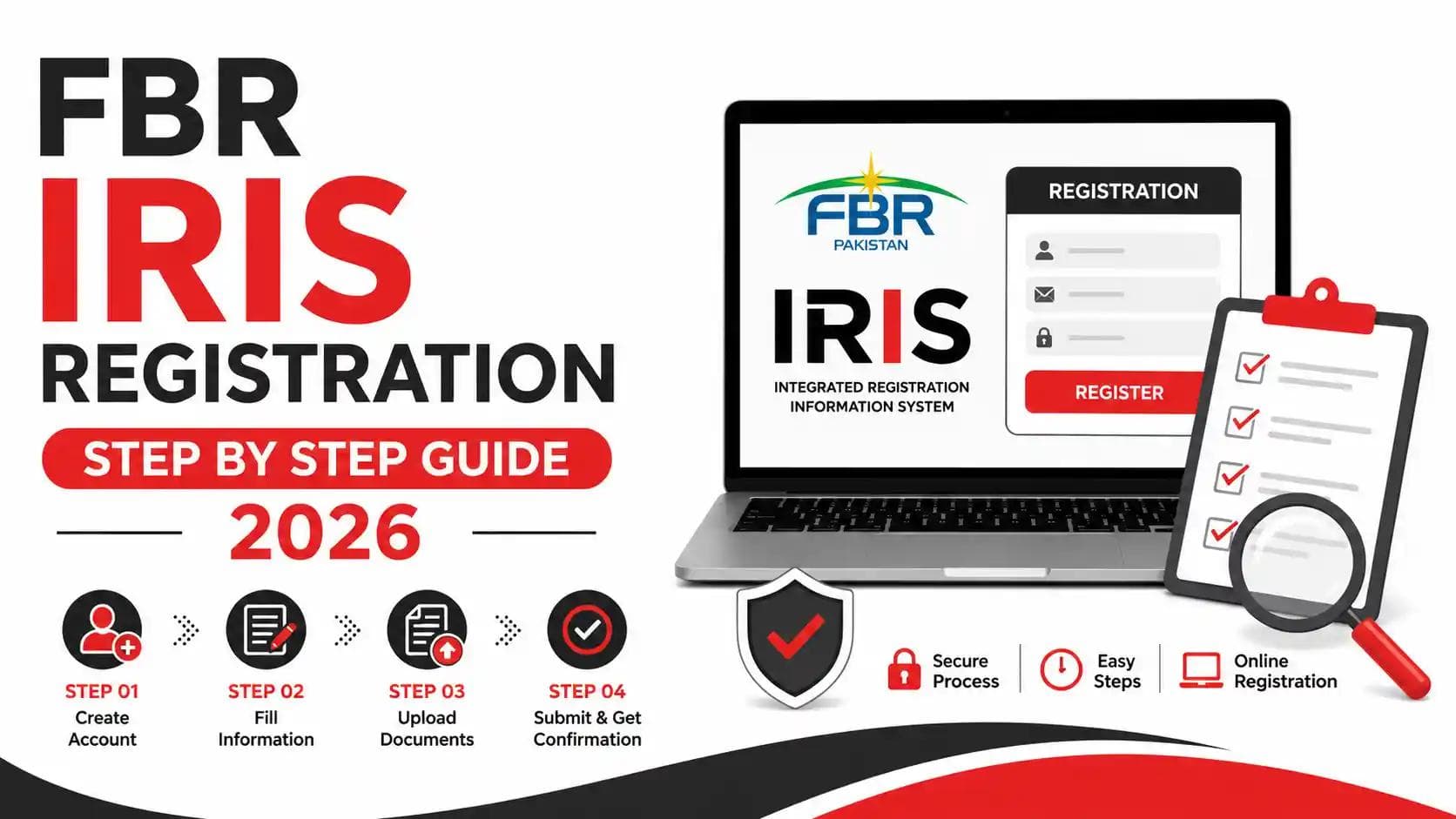
FBR IRIS registration is the process of creating a taxpayer profile on the Federal Board of Revenue's online IRIS portal to obtain a National Tax Number (NTN) and file income tax returns in Pakistan. It involves visiting the IRIS portal, submitting your CNIC, contact details, and address, then verifying your mobile number and email to activate your account.
Introduction
If you're earning an income in Pakistan — whether as a salaried employee, freelancer, or business owner — registering on the Federal Board of Revenue's (FBR) IRIS portal is your first legal step toward tax compliance. At Baco Consultants, we've guided hundreds of individuals and businesses through this exact process, and we've seen firsthand how a few small mistakes at registration can delay ATL status for months. This guide walks you through FBR IRIS registration step by step, whether you're an individual filing for the first time or a business handling NTN registration for your company. If you're a freelancer specifically, you may also want to check our dedicated guide on NTN registration for freelancers in Pakistan, and once registered, our guide on how to check your Active Taxpayer List (ATL) status will help you confirm everything went through correctly.
What Is FBR IRIS Registration?
FBR IRIS registration is the process of creating an online taxpayer profile on the IRIS portal — FBR's official e-filing and taxpayer management system. Once registered, you're issued a National Tax Number (NTN), which acts as your unique tax identity for filing income tax returns, checking your ATL status, and communicating with FBR electronically.
IRIS was built and is maintained with support from Pakistan Revenue Automation Limited (PRAL), FBR's technology arm, to digitize what used to be a manual, paper-heavy registration process. Today, nearly every tax interaction — from registration to return filing to responding to notices — happens through this single portal.
Why FBR IRIS Registration Matters
Registering on IRIS isn't just a bureaucratic formality — it's the legal gateway to becoming a documented taxpayer in Pakistan. Without an NTN and IRIS profile, you cannot file an income tax return, appear on the Active Taxpayer List, or access reduced withholding tax rates on banking transactions, property purchases, and vehicle registration.
Being off the ATL means you pay significantly higher withholding tax on almost every major financial transaction — sometimes double the rate applied to active filers. For businesses, IRIS registration is also often a prerequisite for opening a business bank account, registering with SECP, or bidding on government contracts.
Who Needs to Register on IRIS
You are required to register on FBR's IRIS portal if you fall into any of these categories:
- Salaried individuals earning above the taxable income threshold
- Freelancers and self-employed professionals
- Sole proprietors and small business owners
- Partnership firms (AOPs) and their partners
- Private limited companies and Single Member Companies (SMCs)
- Property owners earning rental income
- E-commerce sellers, including Amazon and Shopify store owners
- Exporters, importers, and manufacturers
- NGOs and non-profit organizations
- Overseas Pakistanis with taxable income sourced in Pakistan
If your business structure isn't listed above or you're unsure which category applies, our team can help you determine the right registration path — from sole proprietorship registration to partnership/AOP registration.
Documents Required for IRIS Registration
Before you begin, gather the following:
For individuals:
- Valid CNIC (Computerized National Identity Card)
- Active personal mobile number (registered in your own name with a local telecom operator)
- Personal email address
- Residential address
- Nature of income/occupation details
For businesses and companies:
- Company incorporation certificate (from SECP, if applicable)
- Partnership deed (for AOPs/partnership firms)
- CNIC of the principal officer, directors, or partners
- Business address and contact details
- Bank account details
- NTN of directors/partners (if already registered individually)
Note: Your mobile number and CNIC must match FBR's verification against NADRA records. Mismatched details are the most common reason IRIS registration fails on the first attempt.
FBR IRIS Registration Step by Step (Individuals)
Here's the complete process for registering as an individual taxpayer on IRIS.
Step 1: Visit the IRIS Portal
Go to the official FBR IRIS portal. Always confirm you're on the correct government domain before entering any personal information, as fraudulent look-alike sites do exist.
Step 2: Select "Registration for Unregistered Person"
On the IRIS login page, click the link for new/unregistered taxpayer registration. This opens the online registration form (Form 181).
Step 3: Enter Your CNIC and Personal Details
Fill in your 13-digit CNIC number, full name (exactly as it appears on your CNIC), date of birth, and nationality. The system cross-verifies this data against NADRA's database in real time.
Step 4: Provide Contact Information
Enter your active mobile number and personal email address. These must be unique — not already linked to another IRIS profile — since FBR uses them for all future communication, including notices and OTP verification.
Step 5: Add Your Address and Occupation Details
Provide your residential address and select your occupation or source of income (salary, business, freelance, rental income, etc.). This determines which sections of your future tax return will be pre-populated.
Step 6: Submit the Registration Form
Review all entered details carefully, then submit the form. Double-check spelling of your name and address — errors here can complicate return filing later.
Step 7: Verify Your Mobile Number
You'll receive an OTP (one-time password) via SMS. Enter this code on the portal to confirm your mobile number.
Step 8: Verify Your Email
A separate verification code is sent to your registered email address. Enter this code to complete email verification.
Step 9: Receive Your Login Credentials and NTN
Once both verifications are complete, FBR issues your PIN, password, and NTN (which is typically your CNIC number for individuals) via SMS and email. This completes your IRIS registration.
Step 10: Log In and Complete Your Taxpayer Profile
Log in to IRIS using your CNIC and password, then complete your taxpayer profile — including bank account details and any additional income sources — so your account is ready for return filing season.
FBR IRIS Registration for Businesses and Companies
Business registration follows a similar structure but with additional documentation and entity-specific steps.
| Business Type | Additional Requirement | Related Service |
|---|---|---|
| Sole Proprietorship | Business name and address proof | NTN Registration for Business |
| Partnership/AOP | Partnership deed, partners' CNICs | Partnership/AOP Registration |
| Private Limited Company | SECP incorporation certificate | Private Limited Company Registration |
| Single Member Company (SMC) | SECP incorporation certificate | SMC Registration |
| NGO/NPO | Registration certificate with relevant authority | NTN Registration for NPO |
For companies, the principal officer must first hold an individual IRIS profile before registering the company itself. Once the company profile is created, FBR issues a separate 7-digit NTN for the business entity. If you're planning to register a company from scratch, our guide on SECP company registration in Pakistan covers the incorporation steps that come before IRIS registration.
Businesses that also deal in taxable goods or services will additionally need sales tax/GST registration after their income tax registration is complete.
IRIS Login After Registration
Once registered, logging in to IRIS is straightforward:
- Go to the IRIS portal.
- Enter your registration number (CNIC for individuals, NTN for businesses).
- Enter your password.
- Complete the captcha verification.
- Access your dashboard to file returns, view notices, or update your profile.
If you forget your password, use the "Forgot Password" option, which sends a reset link to your registered email and mobile number.
Common Mistakes During IRIS Registration
Based on the cases we handle at Baco Consultants, these errors cause the most registration delays:
- Mismatched CNIC details — Name or date of birth entered differently from NADRA records.
- Using a mobile number already linked to another profile — Each number can register only once.
- Incorrect occupation selection — Leads to wrong tax category and return-filing issues later.
- Skipping bank account details — Required for refunds and often needed for full profile activation.
- Ignoring OTP expiry windows — Verification codes expire quickly; delays force you to restart the process.
- Using a shared or business email for personal registration — Complicates future individual filings.
Benefits of Registering on IRIS
- Active Taxpayer List (ATL) inclusion, reducing withholding tax rates significantly on banking, vehicle, and property transactions.
- Legal compliance, avoiding penalties, notices, and potential legal action for non-filers.
- Access to tax refunds on excess withholding tax deducted throughout the year.
- Smoother business operations — banks, SECP, and many government departments require an active NTN.
- Simplified return filing in future years, since your profile and history are already on record.
- Eligibility for government tenders and contracts, many of which require active taxpayer status.
IRIS Registration vs NTN Registration
People often use these terms interchangeably, but there's a subtle distinction worth understanding.
| Aspect | IRIS Registration | NTN Registration |
|---|---|---|
| Definition | Creating your online taxpayer profile/account | The tax identification number issued as a result |
| Outcome | Login credentials + taxpayer profile | A unique number used to identify you as a taxpayer |
| Process | Done through the IRIS portal | Automatically generated during IRIS registration |
| Standalone action | No — it's the registration mechanism | No — it's the output of registration |
In short, you don't register for IRIS and separately for an NTN — completing IRIS registration is what generates your NTN. For a deeper breakdown of the NTN process specifically, see our complete NTN registration guide for Pakistan.
Cost of FBR IRIS Registration
FBR IRIS registration is completely free when done directly by the taxpayer through the official portal. FBR does not charge any government fee for registration itself.
However, many individuals and businesses choose to hire a tax consultant to handle registration on their behalf — particularly when dealing with complex business structures, multiple income sources, or past compliance issues. Professional service fees vary based on the complexity of your case; our NTN registration services are structured to match different taxpayer categories.
How Long Does IRIS Registration Take
For individuals with accurate, matching documentation, IRIS registration typically takes 15–30 minutes to complete online, with NTN issuance often immediate or within a few hours. Business registrations can take 1–3 business days, particularly when SECP verification or additional document checks are involved.
Delays usually stem from data mismatches with NADRA or incomplete documentation — which is why accuracy at the data-entry stage matters more than speed.
Expert Tips for a Smooth Registration
- Double-check that your name and CNIC details match exactly with NADRA's record before starting.
- Use a mobile number that is registered under your own CNIC, not a family member's.
- Keep your email accessible during registration — verification codes are time-sensitive.
- Register your correct occupation category to avoid return-filing complications later.
- If you're a freelancer or online seller, select an income category that reflects your actual business activity rather than a generic "salary" option.
- Once registered, immediately check your ATL status to confirm your profile is active before the next tax year.
- If your registration gets stuck or rejected, don't repeatedly resubmit — this can flag your CNIC. Instead, consult a tax professional to diagnose the exact issue.
Latest Updates in IRIS Registration (2026)
FBR has continued streamlining the IRIS portal for the 2026 tax year, with improved mobile verification flow, faster NADRA cross-checks, and tighter integration with the Active Taxpayer List update cycle. FBR has also increased scrutiny on withholding tax rates for non-filers, making timely IRIS registration and ATL inclusion more financially significant than in previous years. Businesses should also stay current with broader compliance changes — our overview of top tax changes in the Pakistan Budget 2026–27 covers what's changed at a policy level.
Why Choose Baco Consultants for FBR IRIS Registration?
Registering on the FBR IRIS portal can be confusing, especially for first-time taxpayers, freelancers, business owners, and companies. Baco Consultants simplifies the entire process by providing professional assistance with FBR IRIS registration, NTN registration, taxpayer profile setup, document verification, and tax compliance. Our experienced tax consultants ensure your registration is completed accurately, helping you avoid common errors and unnecessary delays. Whether you are an individual, startup, SME, or corporate business, Baco Consultants offers reliable tax solutions and ongoing support to help you stay compliant with FBR regulations and confidently manage your tax obligations.
Frequently Asked Questions
1. Is FBR IRIS registration mandatory? Yes, if you earn taxable income in Pakistan — including salary, business income, freelance income, or rental income — you're legally required to register on IRIS and obtain an NTN.
2. Is FBR IRIS registration free? Yes, registering directly through the official IRIS portal is free of charge. FBR does not charge a government fee for the registration process itself.
3. Can I register on IRIS without a CNIC? No, a valid CNIC is mandatory for individual registration in Pakistan. Overseas Pakistanis without a CNIC typically need to use their NICOP or passport with additional documentation.
4. What happens if my mobile number verification fails? If OTP verification fails repeatedly, check that the number is registered under your own CNIC with your telecom provider. Persistent failures usually require FBR helpdesk or professional assistance to resolve.
5. How do I know if my IRIS registration was successful? You'll receive your NTN, login PIN, and password via SMS and email once registration is complete. You can confirm by logging into IRIS with these credentials.
6. Can a business and its owner have separate IRIS profiles? Yes. An individual (such as a company director or sole proprietor) holds a personal IRIS profile, and the business entity (company or AOP) holds its own separate profile with its own NTN.
7. What is the difference between IRIS registration and ATL status? IRIS registration creates your taxpayer profile and NTN. ATL status is achieved afterward, once you file your income tax return by the due date — it's a separate, ongoing requirement.
8. Do freelancers need to register on IRIS? Yes, freelancers earning taxable income are required to register and file returns just like any other self-employed professional. See our dedicated guide on NTN registration for freelancers for specifics.
9. Can I edit my details after IRIS registration? Yes, most profile details can be updated later through the "Registration" tab in your IRIS dashboard, though some changes (like CNIC) may require additional verification.
Conclusion
FBR IRIS registration is a straightforward but detail-sensitive process — one where small errors in CNIC data, mobile verification, or occupation category can quietly delay your ATL status and tax compliance for months. Whether you're a salaried professional registering for the first time or a business owner navigating company NTN registration, getting it right the first time saves you real time and money down the road.
If you'd rather have the entire process handled correctly and efficiently, the team at Baco Consultants manages IRIS and NTN registration for individuals, freelancers, and businesses across Pakistan every day. Book a Seat at Baco Consultants and let our tax experts get your registration done right, the first time.
Related Articles


Leave a Comment
No approved comments yet. Be the first to share your thoughts!